From the creator of Kumamap (389K users)
Claude Code Is Hard. This Guide Makes It Easy.
6 months of daily grinding distilled into 51 tips that actually work. No theory. No hand-holding. Just what I learned building production apps.
7-day money-back guarantee
01 Use Terminal02 Create CLAUDE.md03 Shortcuts & Commands04 Use Git Extensively05 Protect Sensitive Files06 Never Auto-Approve Bash Commands07 Auto-Approve Safe Actions08 Always Use Plan Mode09 Never Accept Generic Plans10 Validate Against CLAUDE.md11 Force End-to-End Thinking12 Ultrathink Always On13 Be Direct14 Tell What TO Do, Not What NOT to Do15 Exaggerate Importance16 Treat Claude as Tool - Not Person17 Claude Excels at Assistant Tasks - Guide It for Strategic Jobs18 One Task = One Session19 Quality Degrades in Long Sessions20 Use /resume to Continue Sessions21 Never Trust 'All Done'22 Use Images/Screenshots23 Copy Error Messages Verbatim24 Don't Expect Perfect First Try25 Multiple Agents for Big Jobs26 Break Complex Problems into Steps27 Git Worktrees28 Subagents - Use with Caution29 Hierarchical CLAUDE.md30 Custom Slash Commands31 Custom Agents32 Claude Makes Up URLs33 Claude Over-Engineers34 Claude Creates Duplicates35 Claude is Additive, Never Subtractive36 Claude is a YES MAN37 Claude Assumes Instead of Asking38 Claude Reads Files Partially39 Claude Modifies Tests Instead of Fixing Code40 Hooks41 MCP Servers42 Skills43 GitHub Actions44 Headless Mode45 Run Codebase Quality Checks Periodically46 Leverage Claude Code for POCs47 Claude is Great at Boilerplate48 Use Claude to Learn49 Claude for Commit Messages50 Don't Chase Every New Feature51 Battle-Tested CLAUDE.md
See All 51 Tips →Why Trust This Guide?

"I figured out what actually works with Claude Code through hundreds of hours of trial and error. This guide is everything I learned."
Danyel Koca
Applied Research Engineer at Sakana AI
Previously Senior Data Scientist at McKinsey & Company
Sound familiar?
These frustrations led me to write this guide
Claude ignores CLAUDE.md
Your custom instructions get overlooked or forgotten mid-conversation
Over-engineers everything
You ask for a simple function, get 500 lines of abstraction
Different results every time
Same prompt, wildly different output quality
Says done but broken
Confidently delivers code that doesn't actually work
The Experience Behind This Guide
I didn't just read about these problems - I lived them.
2.7 billion tokens of hard-won lessons, condensed into 51 actionable tips.
Proof It Works
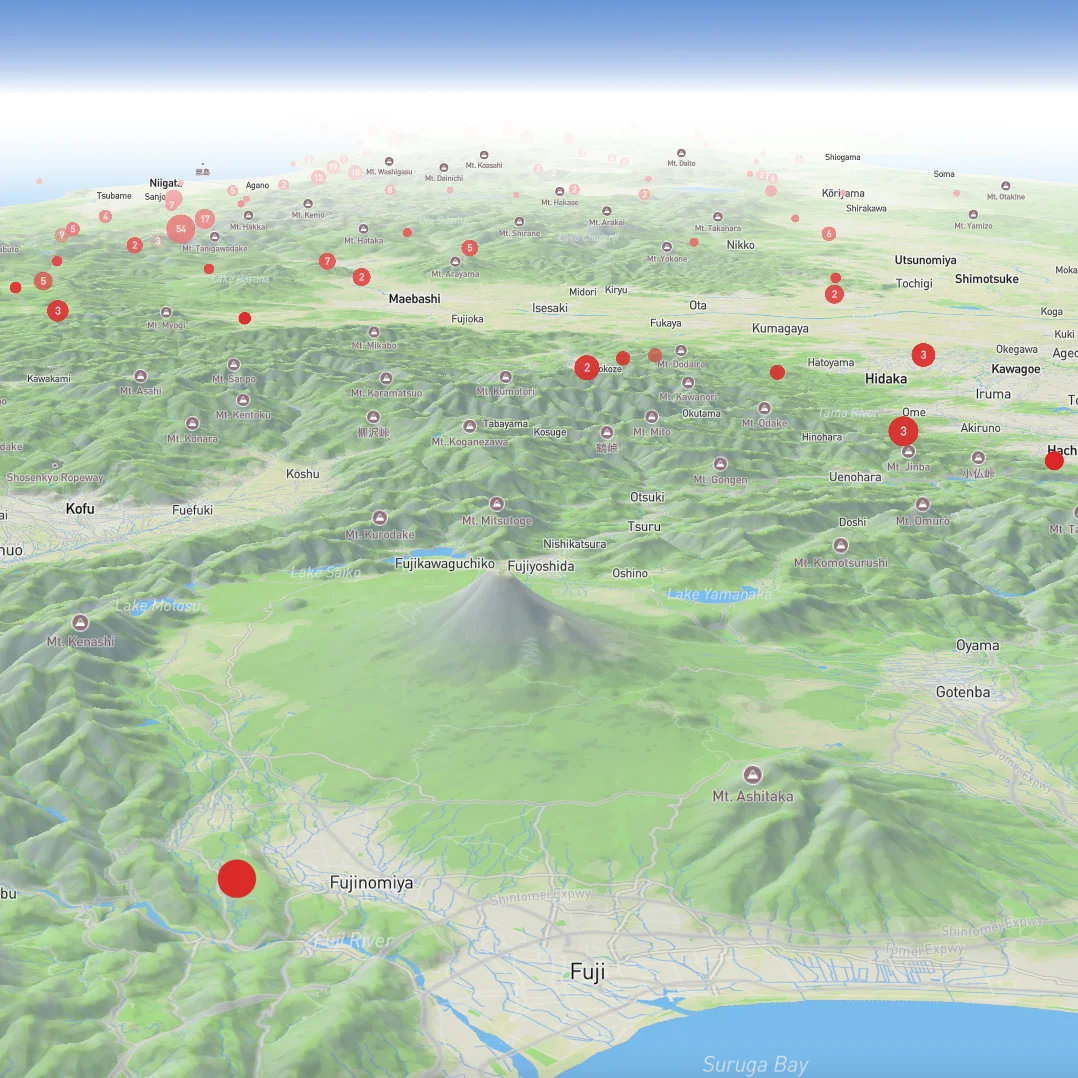
I built Kumamap — Japan's #1 bear tracker — entirely with Claude Code. This guide teaches you the exact patterns I used.
What's Inside
51 tips across 13 sections
Setup
Terminal, CLAUDE.md, shortcuts and commands
3 tips
Setup
Terminal, CLAUDE.md, shortcuts and commands
Use Terminal
Use Claude Code in terminal - it's the most flexible way to interact with it.
Create CLAUDE.md
FreeYour project's instruction manual for Claude. The single most important file for effective Claude Code usage.
Shortcuts & Commands
Essential keyboard shortcuts and commands for efficient Claude Code usage.
Safety
Git, permissions, protecting sensitive files
4 tips
Safety
Git, permissions, protecting sensitive files
Use Git Extensively
Git is your safety net when Claude makes sweeping changes. Commit often, review diffs, and know your recovery commands.
Protect Sensitive Files
Claude Code automatically reads .env files without asking. Add deny rules to protect secrets.
Never Auto-Approve Bash Commands
Auto-approving bash commands is the single most dangerous thing you can do with Claude Code.
Auto-Approve Safe Actions
Speed up your workflow by auto-approving low-risk actions like reads and searches.
Planning
Plan mode, detailed plans, end-to-end thinking
4 tips
Planning
Plan mode, detailed plans, end-to-end thinking
Always Use Plan Mode
Press Shift+Tab twice to enter plan mode before complex tasks. Claude thinks before coding.
Never Accept Generic Plans
Always make sure plan is detailed at code level and factual.
Validate Against CLAUDE.md
Ask Claude to validate its plan against CLAUDE.md rules. Claude forgets instructions as conversations grow - force explicit verification.
Force End-to-End Thinking
Make Claude trace the full path from action to outcome.
Prompting
Ultrathink, being direct, exaggerating importance
6 tips
Prompting
Ultrathink, being direct, exaggerating importance
Ultrathink Always On
FreeNever let Claude say what comes to mind first. Let it think. ALWAYS.
Be Direct
Be explicit about quantity - Claude tends to choose the easy way out.
Tell What TO Do, Not What NOT to Do
Always provide an alternative when telling Claude what not to do.
Exaggerate Importance
Claude calibrates effort to perceived stakes. High stakes = thorough work.
Treat Claude as Tool - Not Person
Don't worry about being polite. Claude behaves better when you're direct.
Claude Excels at Assistant Tasks - Guide It for Strategic Jobs
Convert strategic tasks into assistant-like jobs by guiding Claude to research first.
Session
Context management, resume, quality degradation
4 tips
Session
Context management, resume, quality degradation
One Task = One Session
Once task ends, close it down. Use /clear to wipe context and start fresh.
Quality Degrades in Long Sessions
FreeContext window fills up. Claude gets dumber. Know when to compact or clear.
Use /resume to Continue Sessions
Claude crashes? Terminal closes? Use /resume to pick up where you left off.
Never Trust 'All Done'
Claude often misses edge cases or silently skipped steps. Always verify.
Input
Images, screenshots, error messages
2 tips
Input
Images, screenshots, error messages
Multi-Agent
Parallel agents, worktrees, subagents
5 tips
Multi-Agent
Parallel agents, worktrees, subagents
Don't Expect Perfect First Try
Let 1 agent code, use another agent to check the code.
Multiple Agents for Big Jobs
Launch multiple agents with same prompt. For big tasks it's rare 1 agent gets it right.
Break Complex Problems into Steps
Better to have 1 session per sub-task than one massive session.
Git Worktrees
Multiple working directories from same repo. Run Claude in each.
Subagents - Use with Caution
FreeSubagent summaries lose detail. For critical code, have main agent read files directly.
Customization
Hierarchical configs, commands, custom agents
3 tips
Customization
Hierarchical configs, commands, custom agents
Hierarchical CLAUDE.md
CLAUDE.md at project root + subdirectories + global. Claude prioritizes most specific.
Custom Slash Commands
Create reusable workflows in .claude/commands/ folder.
Custom Agents
Create specialized agents with their own context window, system prompt, and tool restrictions.
Pitfalls
Common Claude behaviors to watch for
8 tips
Pitfalls
Common Claude behaviors to watch for
Claude Makes Up URLs
Hallucinates URLs that don't exist. Always verify before trusting external links.
Claude Over-Engineers
Ask for a simple function, get an abstract class with factory pattern.
Claude Creates Duplicates
Claude doesn't search your codebase. It just writes new code.
Claude is Additive, Never Subtractive
Claude only adds code. It never removes. You have to explicitly force deletion.
Claude is a YES MAN
Claude agrees with everything you say. Tell it to challenge your assumptions.
Claude Assumes Instead of Asking
Ambiguous requirement? Claude picks an interpretation and runs with it.
Claude Reads Files Partially
Claude reads the first chunk and starts working. Critical function at line 400? Missed.
Claude Modifies Tests Instead of Fixing Code
When code is wrong, Claude changes test assertions to match bad code.
Advanced
Hooks, MCP servers, skills, headless mode
5 tips
Advanced
Hooks, MCP servers, skills, headless mode
Hooks
Shell commands that run at specific events like edits, tool use, or session start.
MCP Servers
Connect external tools - databases, browser automation, doc lookup.
Skills
Auto-triggered behaviors that load automatically when relevant.
GitHub Actions
Run /install-github-app to set up Claude for your repos.
Headless Mode
Run Claude without interactive session. For automation and scripts.
Use Cases
Quality checks, POCs, learning, commits
5 tips
Use Cases
Quality checks, POCs, learning, commits
Run Codebase Quality Checks Periodically
Each query = 1 session. Check for hardcoded texts, design consistency, etc.
Leverage Claude Code for POCs
Perfect for rapid prototyping. For POCs, let Claude rip.
Claude is Great at Boilerplate
CRUD operations, forms, config files, repetitive patterns. Let Claude grind.
Use Claude to Learn
Don't just let Claude write code. Make it explain.
Claude for Commit Messages
Let Claude write commits from your diff. Consistent format, captures the 'why'.
Closing
Final wisdom on finding your workflow
1 tips
Closing
Final wisdom on finding your workflow
Bonus
Battle-tested CLAUDE.md from 6 months of daily use
1 tips
Bonus
Battle-tested CLAUDE.md from 6 months of daily use
Try Before You Buy
Read these 4 tips free. If they help, imagine 47 more.

Create CLAUDE.md
Your project's instruction manual for Claude. The single most important file for effective Claude Code usage.

Ultrathink Always On
Never let Claude say what comes to mind first. Let it think. ALWAYS.

Quality Degrades in Long Sessions
Context window fills up. Claude gets dumber. Know when to compact or clear.

Subagents - Use with Caution
Subagent summaries lose detail. For critical code, have main agent read files directly.
One-Time Purchase
Lifetime access to all 51 tips
- 51 detailed tips with code examples
- Copy-paste CLAUDE.md configs
- 13 organized sections
- Current as of January 2026
7-day money-back guarantee. No questions asked.